
We released the following new functionality to MyFlexLearning. See below for details on each one.
1. Scheduling Reason
2. Additional Filters on Add Students Dialog
3. Multiple Grade Levels in a Class
4. MyFlexLearning Help Link
5. Ability to print a CSV for reports
6. Unscheduled Students Report (Admin)
1. Scheduling Reason
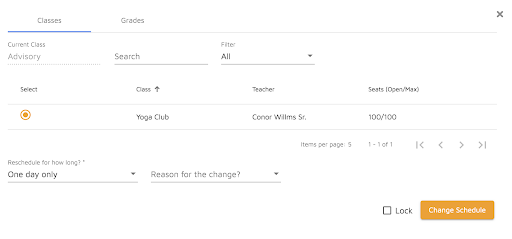
We now support the ability for all users to add a reason when making a student schedule change. This is a helpful way to communicate why a student is being scheduled into a particular flex class.
Teachers and admins will now see the option to add “Reason for the change” when they schedule a student.
Reason options can be configured by the Admin in the Configuration area under the Reason portion. When users select “Other” they will be able to add a custom reason as free text.
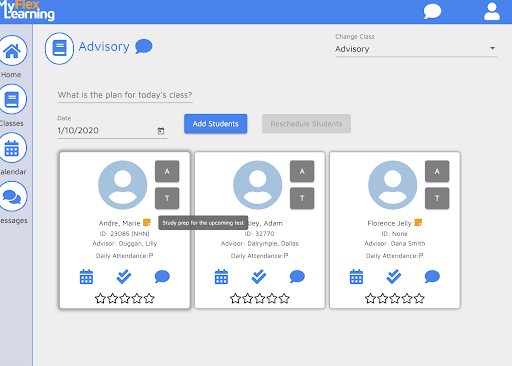
Teachers may hover over the orange note icon on the Attendance list to view the reason.
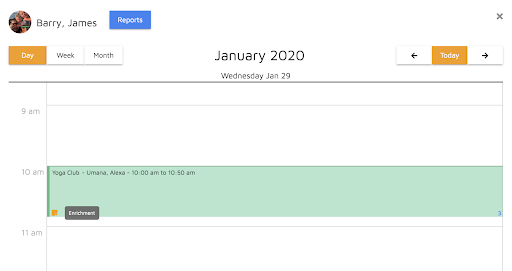
Reasons are also visible on the student’s calendar.
2. Additional Filters on Add Students Dialog
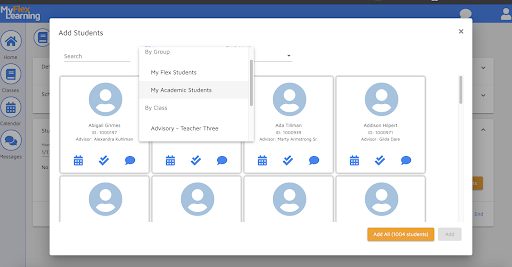
We now support the ability to filter by two Groups: My Flex Students and My Academic Students when adding students to a class. This allows teachers to quickly find their students to add to their flex classes.
“My Flex Students” are students who have been added to the teacher’s flex class for at least one day this school year in MyFlexLearning.
“My Academic Students” are students enrolled in the teacher’s academic classes in the SIS. Users who do not teach classes on the SIS master schedule will not have students listed here.
3. Multiple Grade Levels in a Class
We now support the ability to specify more than one grade level for a class. This can be used when a class is only meant for one or more grade levels. For example, a flex class meant for only 11th and 12th grade students only.
The user will see the option to select multiple grade levels when clicking on the Grade level field in the class details.
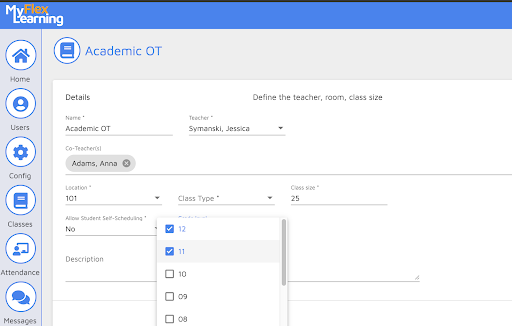
If the Grade level is set, students must be in the grade level in order to view or register for the class.
If a Teacher or Admin tries to register a student in a different grade level, they will receive this message and the student will not be registered:
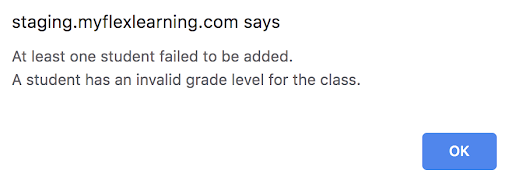
If Grade level is not set, there are no restrictions and students in any grade level can be added to the class.
4. MyFlexLearning Help Link
We now support the ability for all users to access the help center directly from the top banner. Simply click on the “?” and you will be brought to ZenDesk, our help center tool.
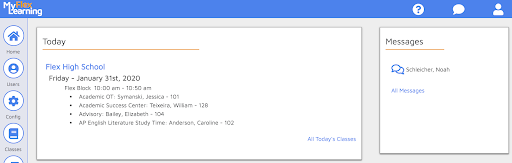
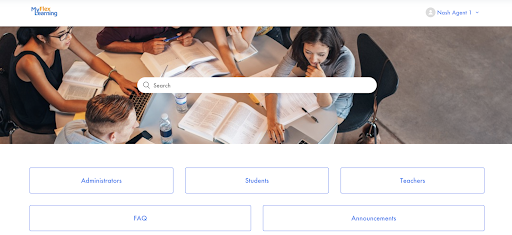
Here you will find help articles for Admins, Teachers and Students.
5. Ability to print a CSV for reports
We now support the ability to download report data as a CSV. When running a report, users are given the option to choose a format between PDF and CSV. CSV files can be opened in Microsoft Excel.
6. Unscheduled Students Report (Admin)
We now support the ability to easily view unscheduled students. The new Unscheduled Students Report can be found in the the Reports Widget on the Homepage. Select the date, the flex period to view and either PDF or CSV format to view this report. This report is helpful for schools who do not schedule students in a default class for each flex block.
Comments
0 comments
Article is closed for comments.