
This article demonstrates how to setup Aspen to bring your guidance or school counselors into MyFlexLearning
Step 1
1. MyFlexLearning has already configured a field on the table of "Reference Code Common" in Aspen. (Your school may have a different UDF)
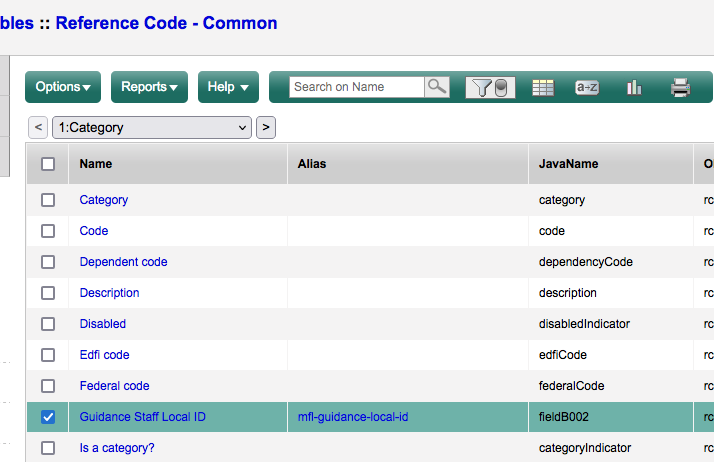
2. You (or your Aspen Admin) will use this field to align your Guidance Counselor's Staff Local to the reference code
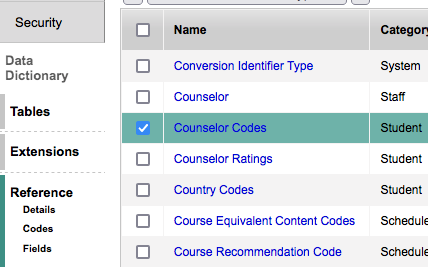
Go to the Admin Tab> Data Dictionary Side Tab> Reference Side Tab> Find the reference table your school uses to track a student's counselor:
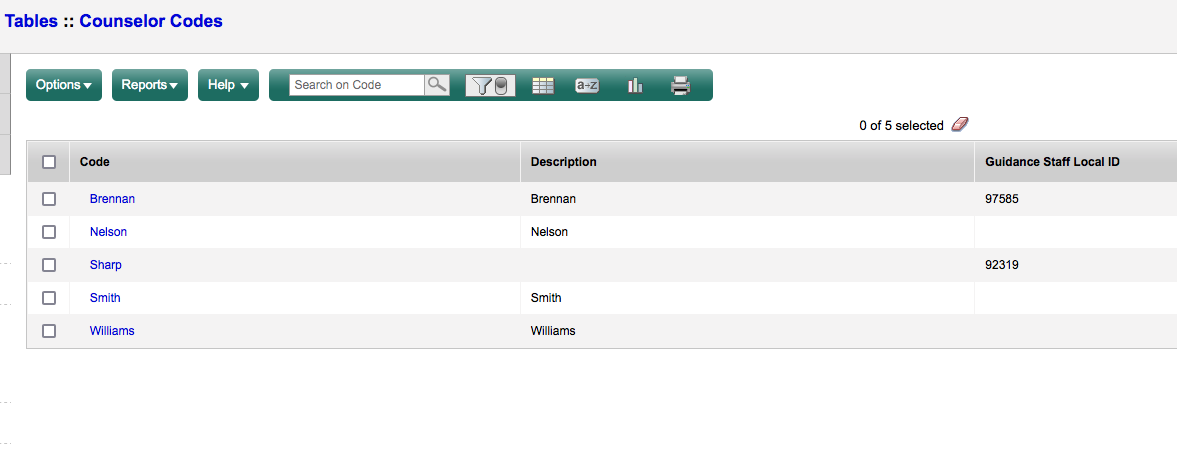
Enter the Staff's Local ID in the "Guidance Staff Local ID"
Step 2
1. Ensure your students have a value in your "Counselor" field
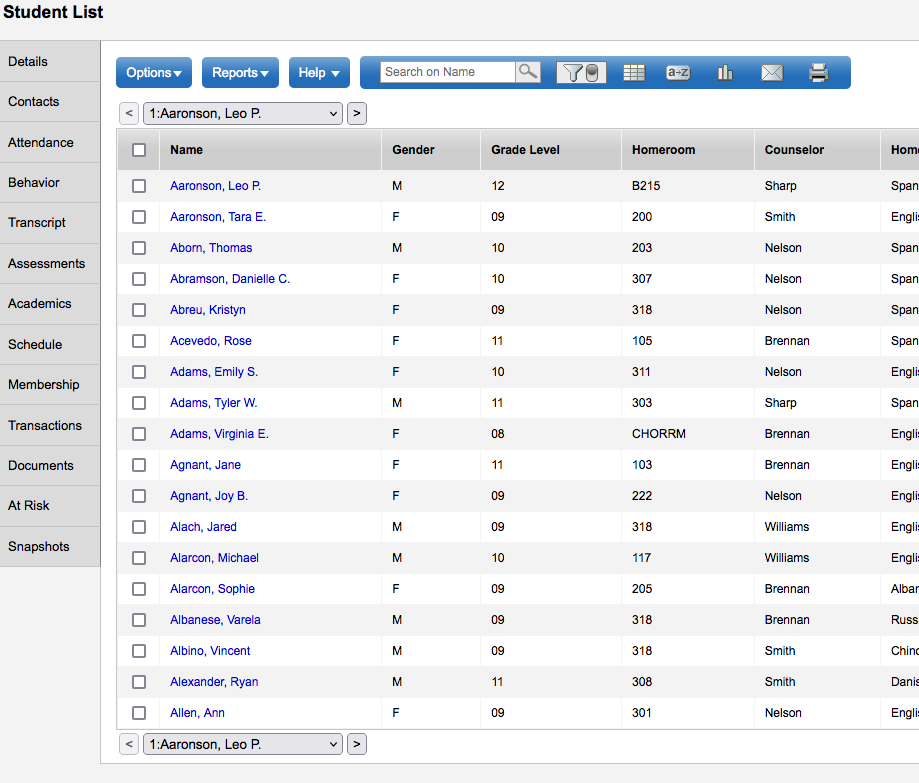
2. Contact MyFlexLearning to switch over from using "Tags" to the "Counselor" field in MyFlexLearning.
Comments
0 comments
Article is closed for comments.