
This article demonstrates how send a message to another user in MyFlexLearning
How to send a message
1. From any page, click on the messages icon in the tool bar - 
2. When the message box pops up, type in the name (first or last) of the user you want to send a message to:
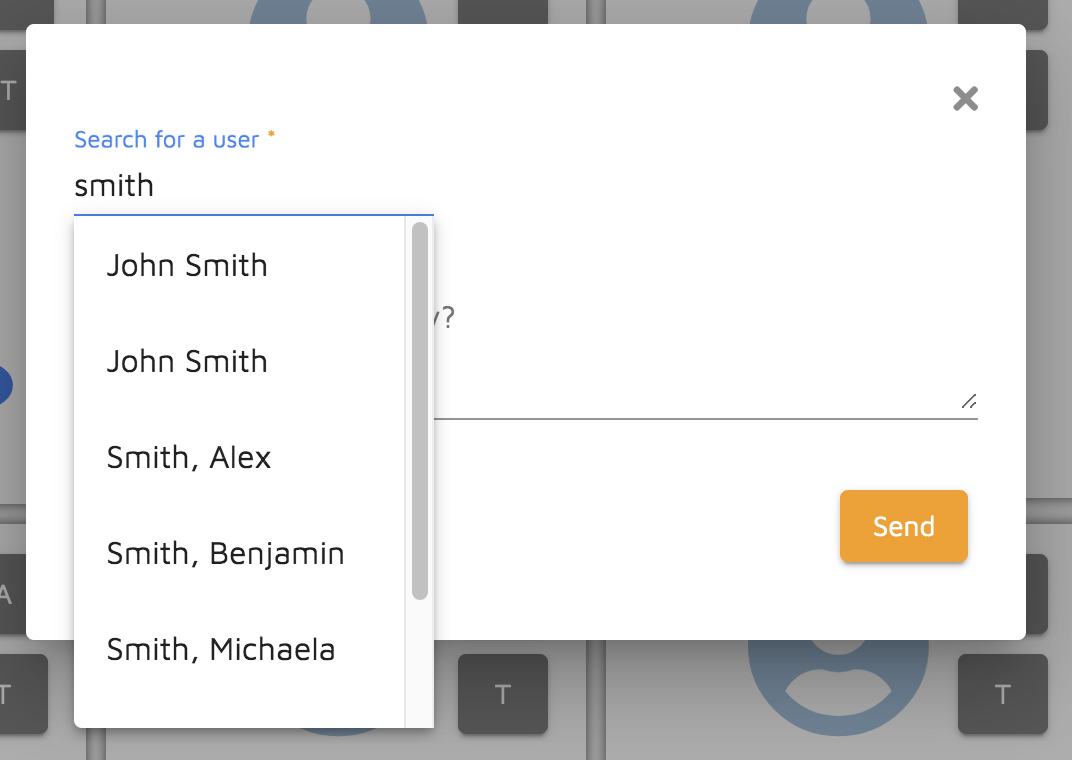
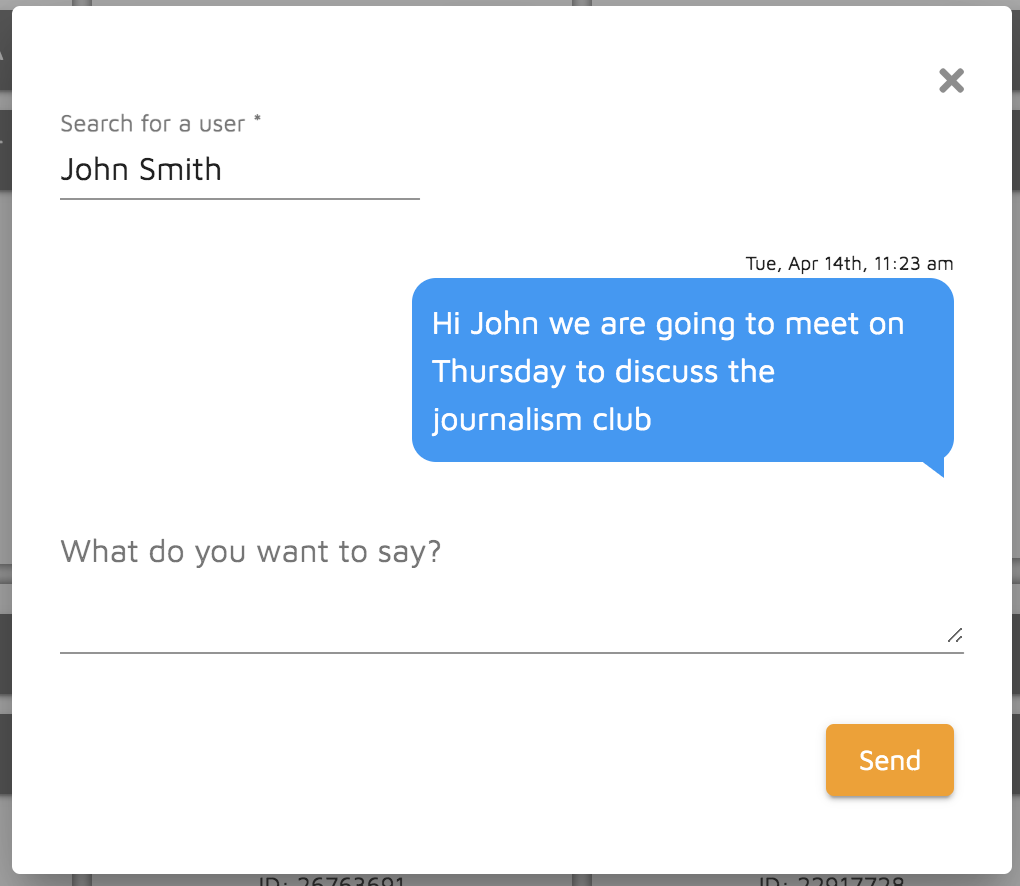
3. Once you have selected the user you want to send the message to, type in the message and click "Send":
Here is a video to demonstrate this functionality:
Comments
0 comments
Article is closed for comments.