
There are many instances where a student or teacher photo may need to be added or updated. This article will guide you through the steps required to upload an individual user photo.
Photo Upload
1. Navigate to Users in MyFlexLearning
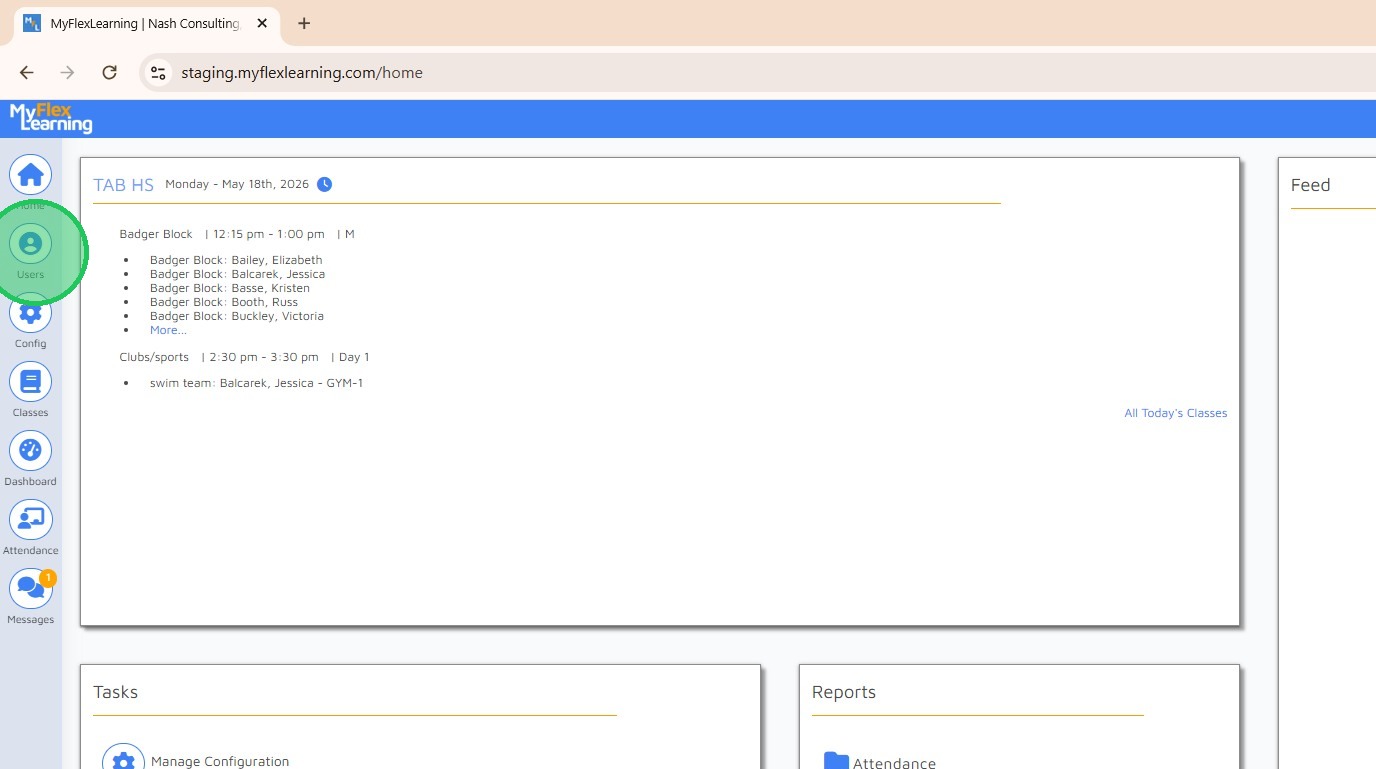
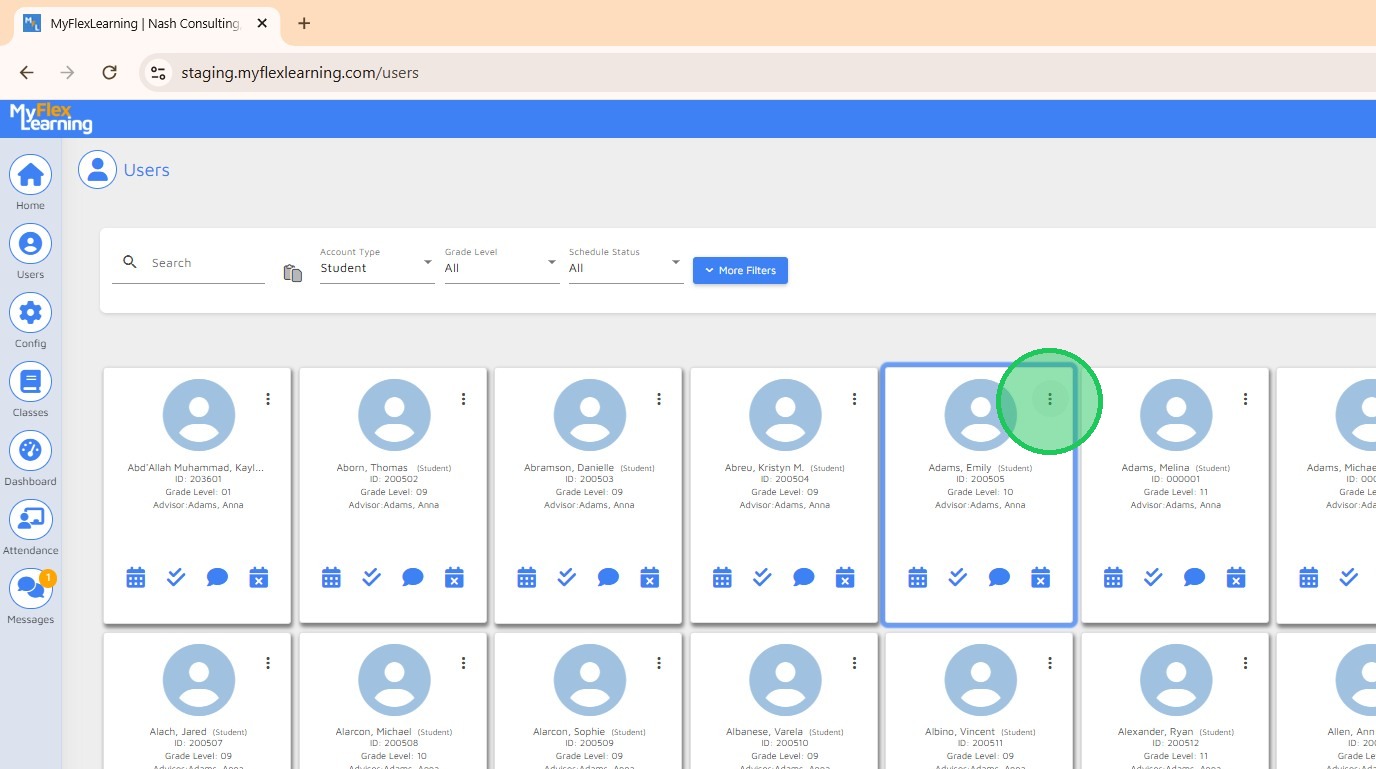
2. Click the ellipsis for more options on the user card.
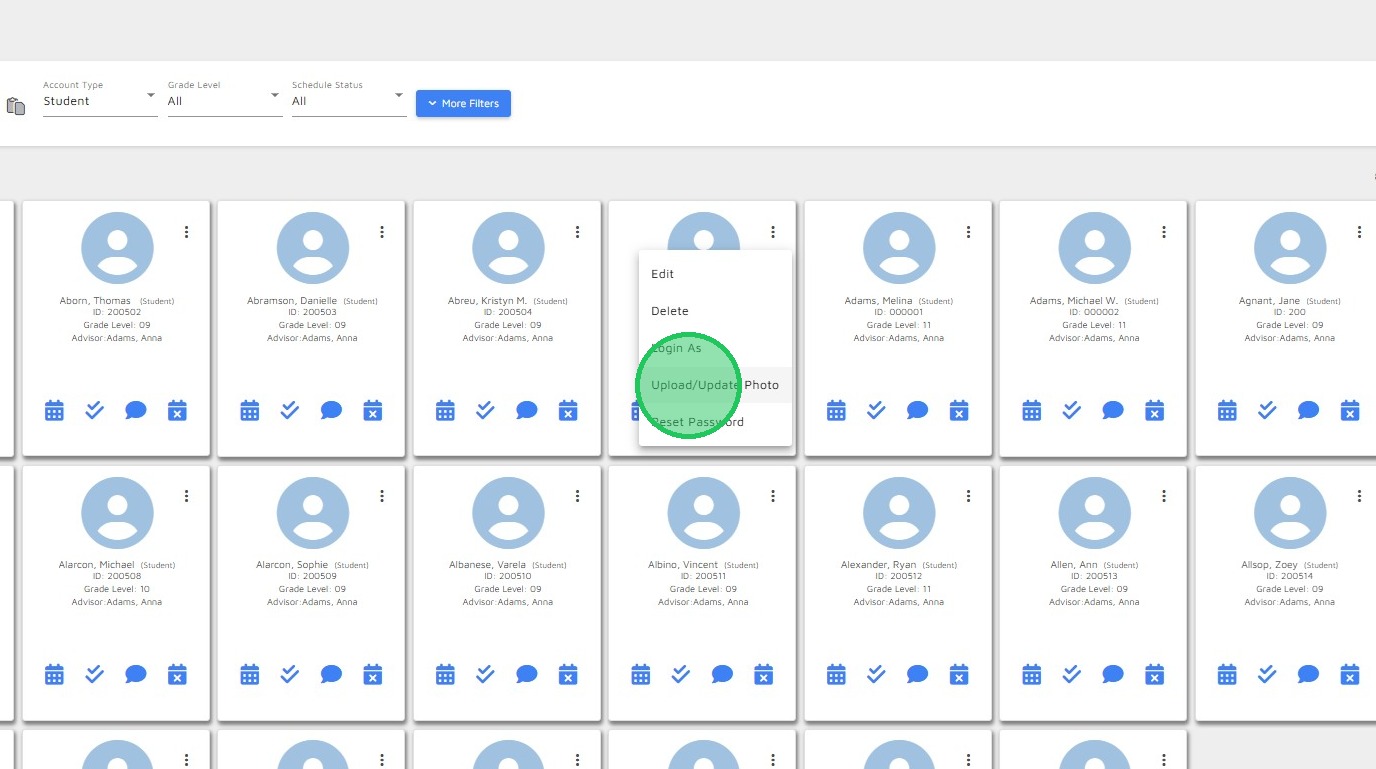
3. Select "Upload/Update Photo"
4. Click "Select Photo File"
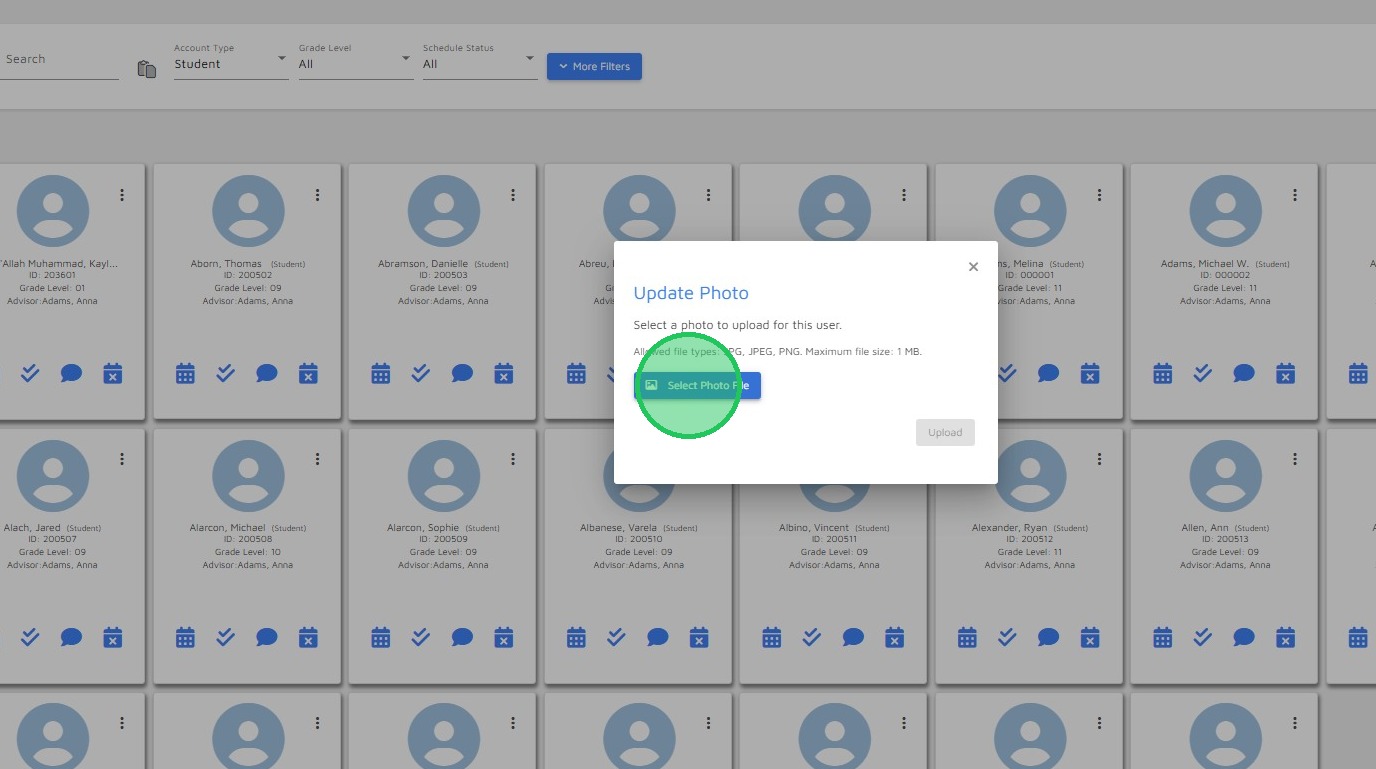

5. Navigate to the location your photo file is located and select the photo file to upload.
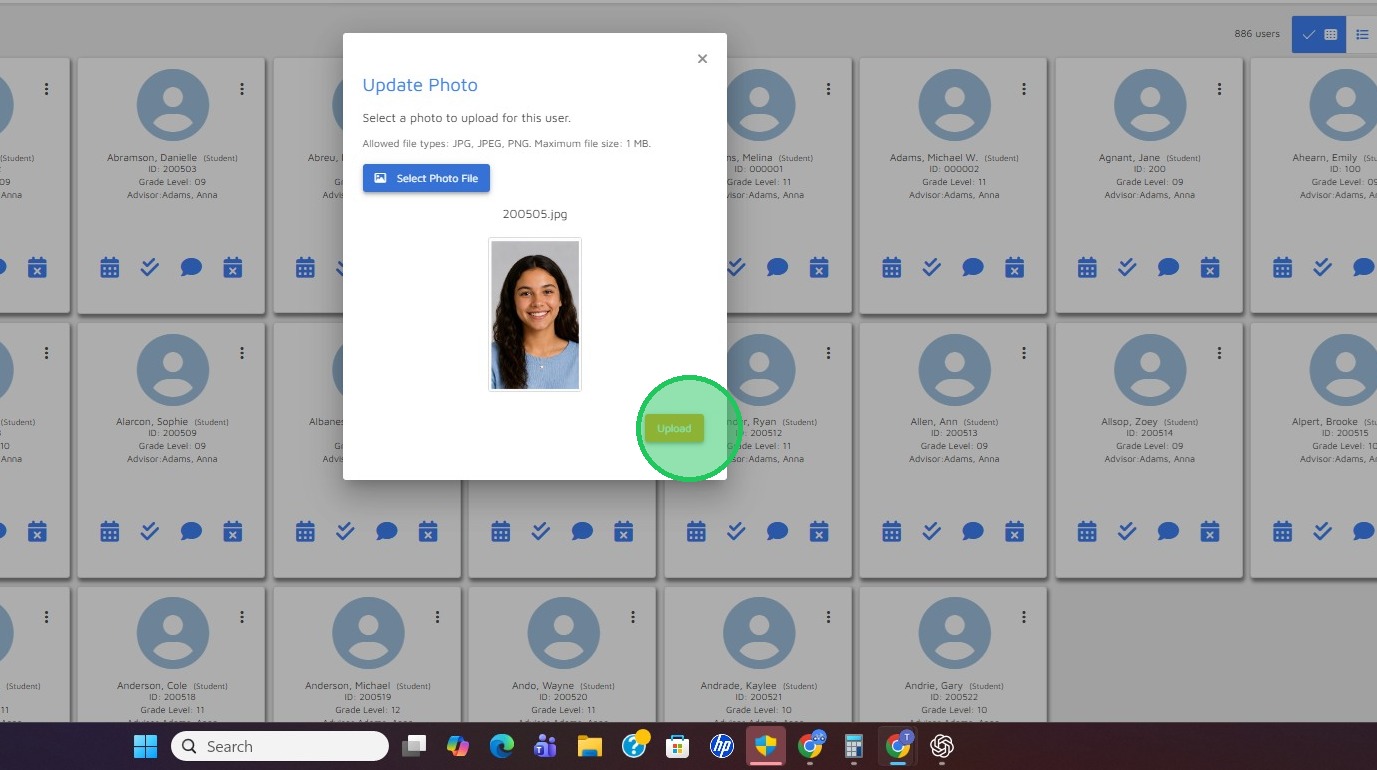
6. Click "Upload"
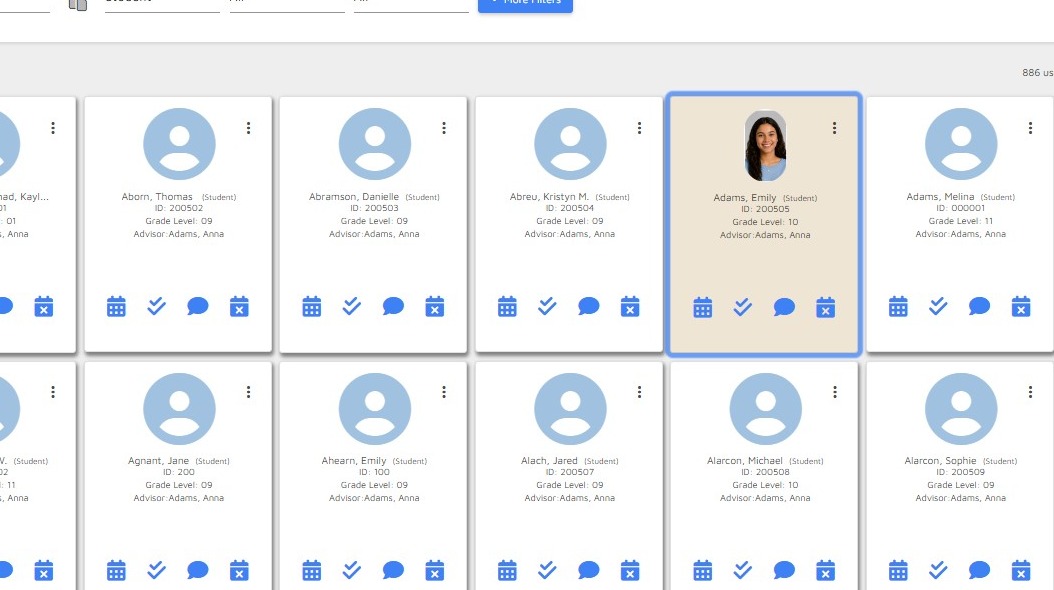
7. Your photo is now uploaded.
Comments
0 comments
Please sign in to leave a comment.