
This guide quickly shows how to remove a user's profile picture It walks you through where to find the user, which menu to open, and the simple confirm step to delete the photo so the profile is cleared immediately.
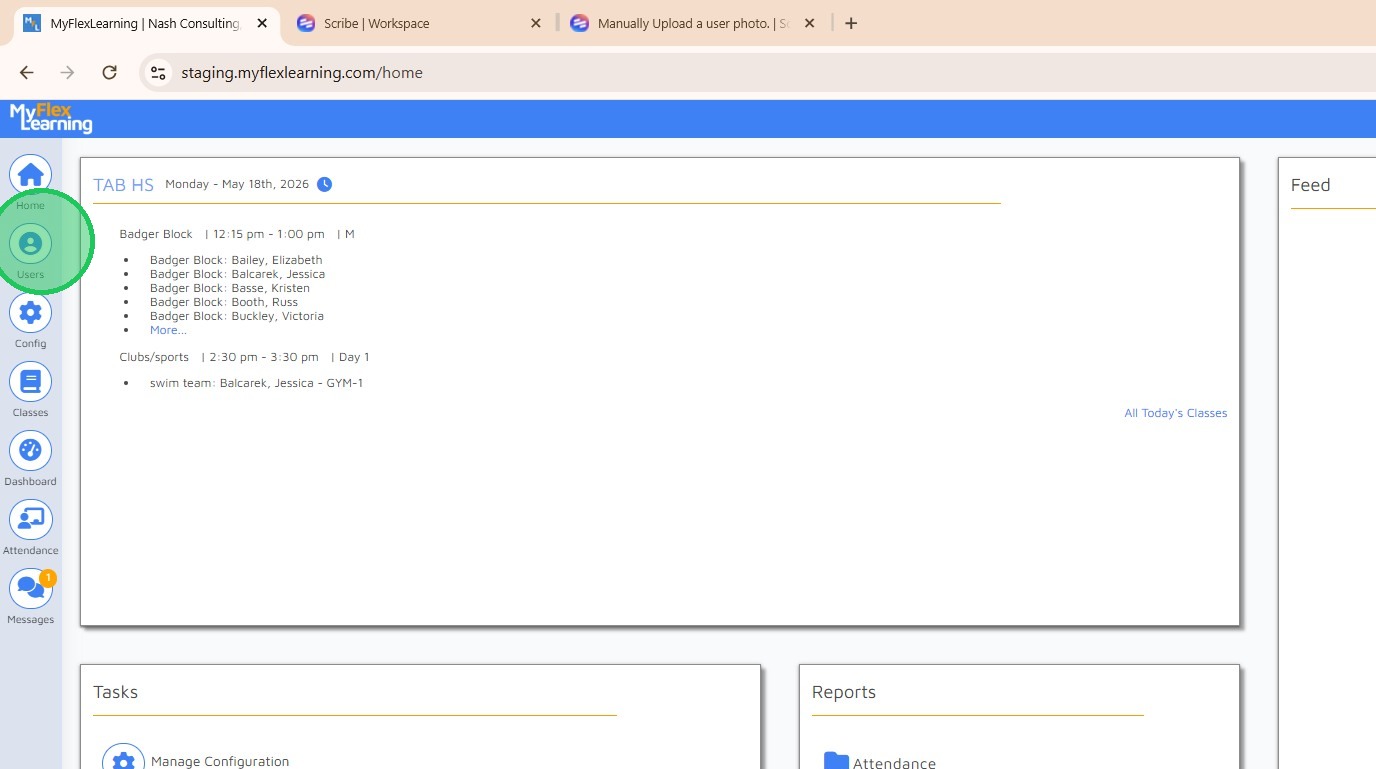
1. Click "Users" icon in sidebar
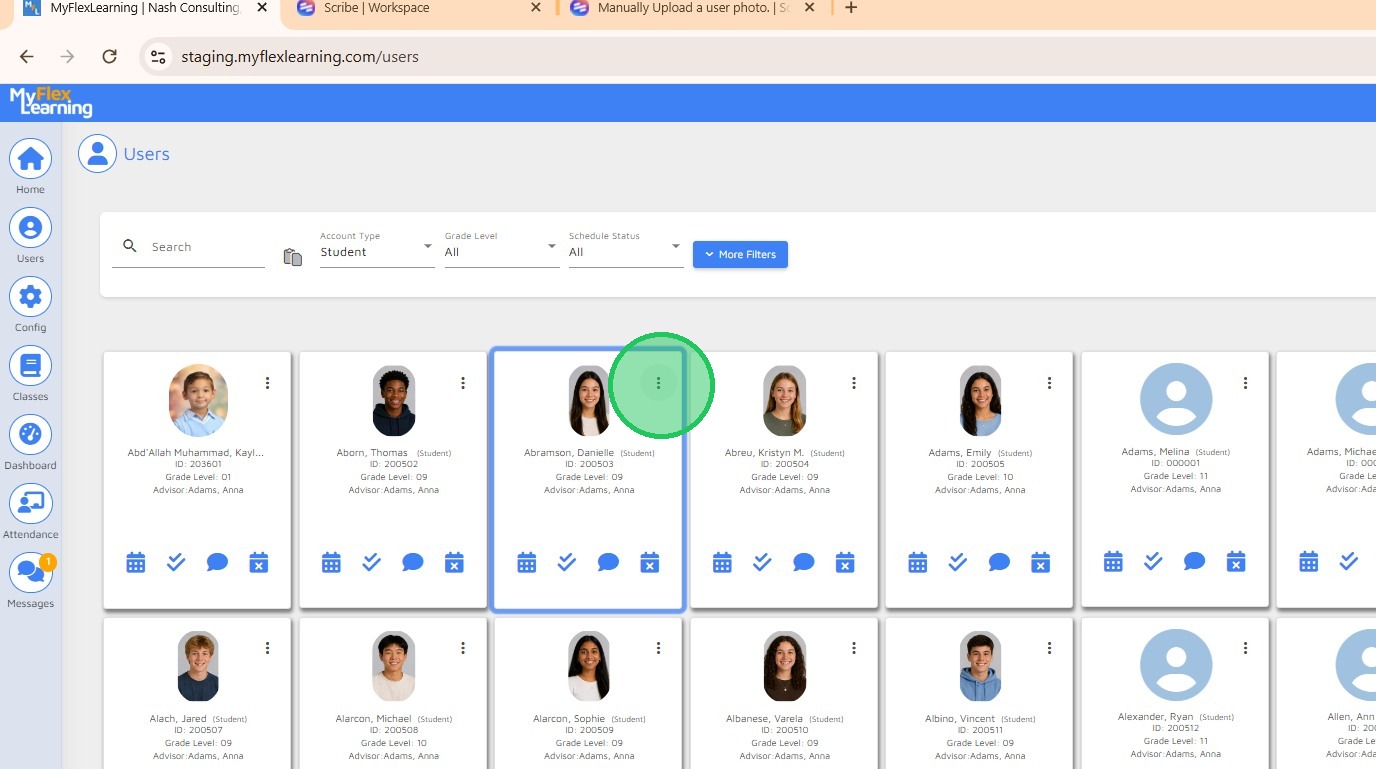
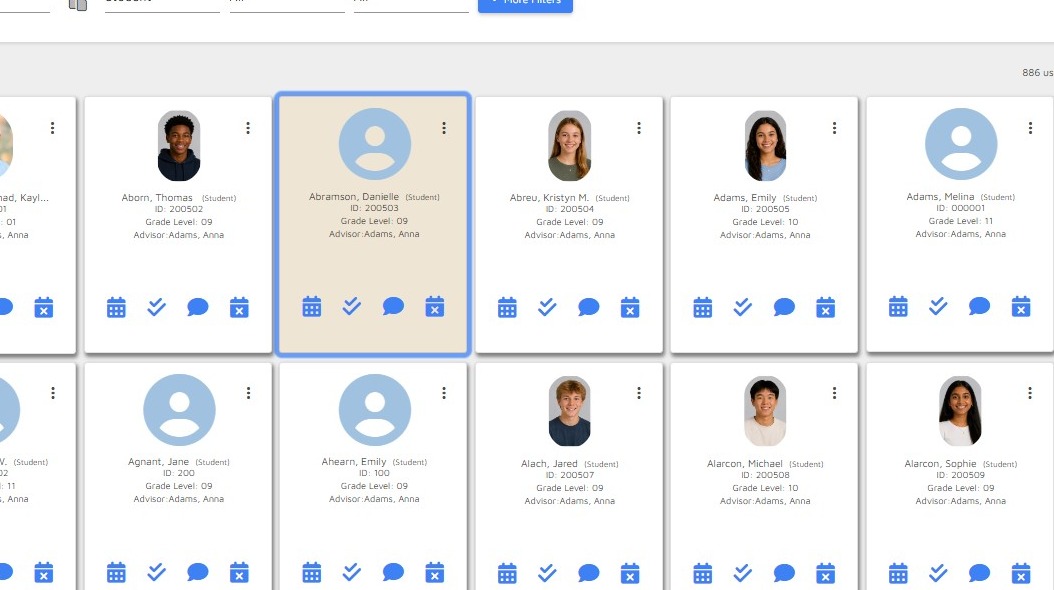
2. Click ellipsis icon on user card for options
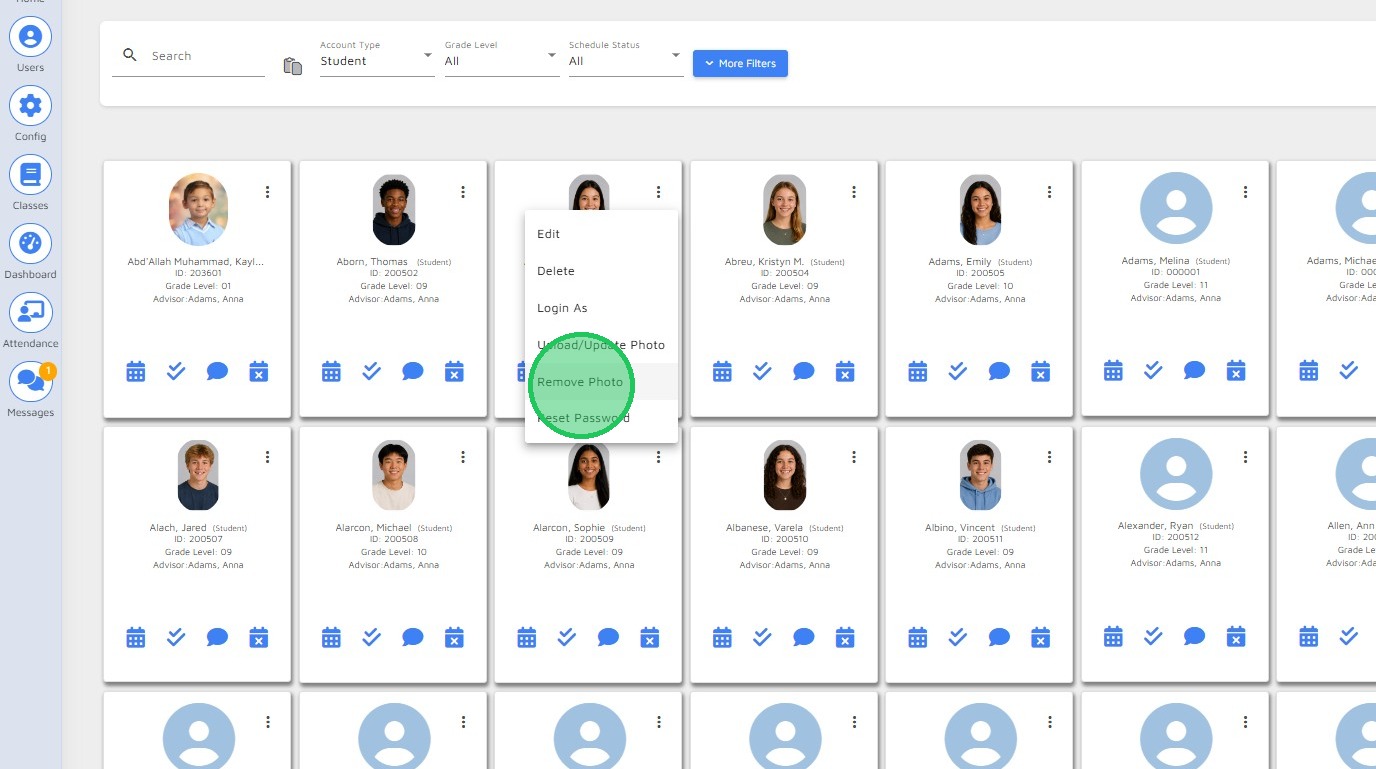
3. Select "Remove Photo" from menu
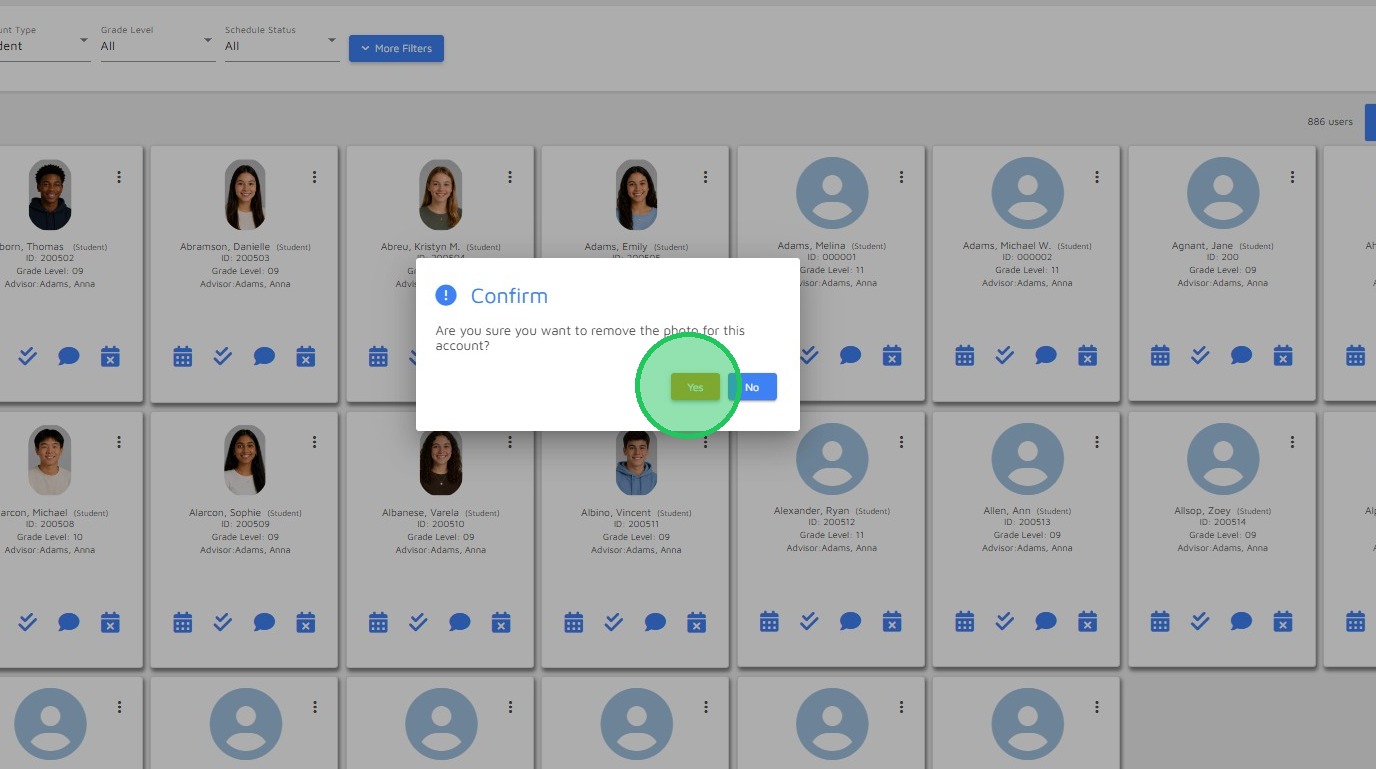
4. Click "Yes" to confirm
5. Photo is removed
Comments
0 comments
Please sign in to leave a comment.